01
Say what you're working on
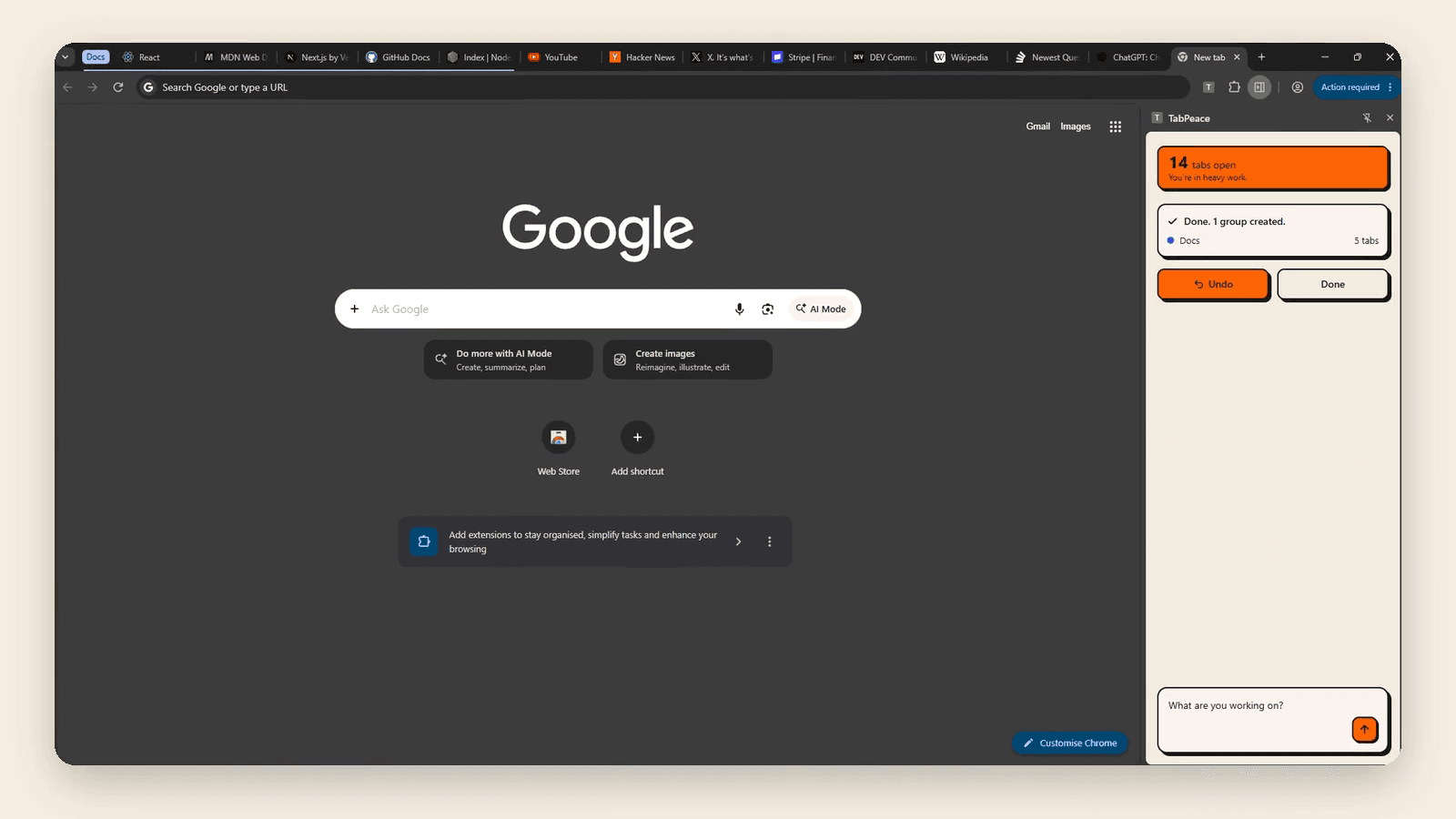
Plain words, no commands to learn. Ask for something like “put all my docs in one group” and TabPeace groups them by meaning, even across different websites.
For people with a lot of tabs
No dragging, sorting, or creating groups by hand. Just type what you need and let TabPeace handle it.
Not live yet. Launching soon on the Chrome Web Store.
What it does
Plain words, no commands to learn. Ask for something like “put all my docs in one group” and TabPeace groups them by meaning, even across different websites.
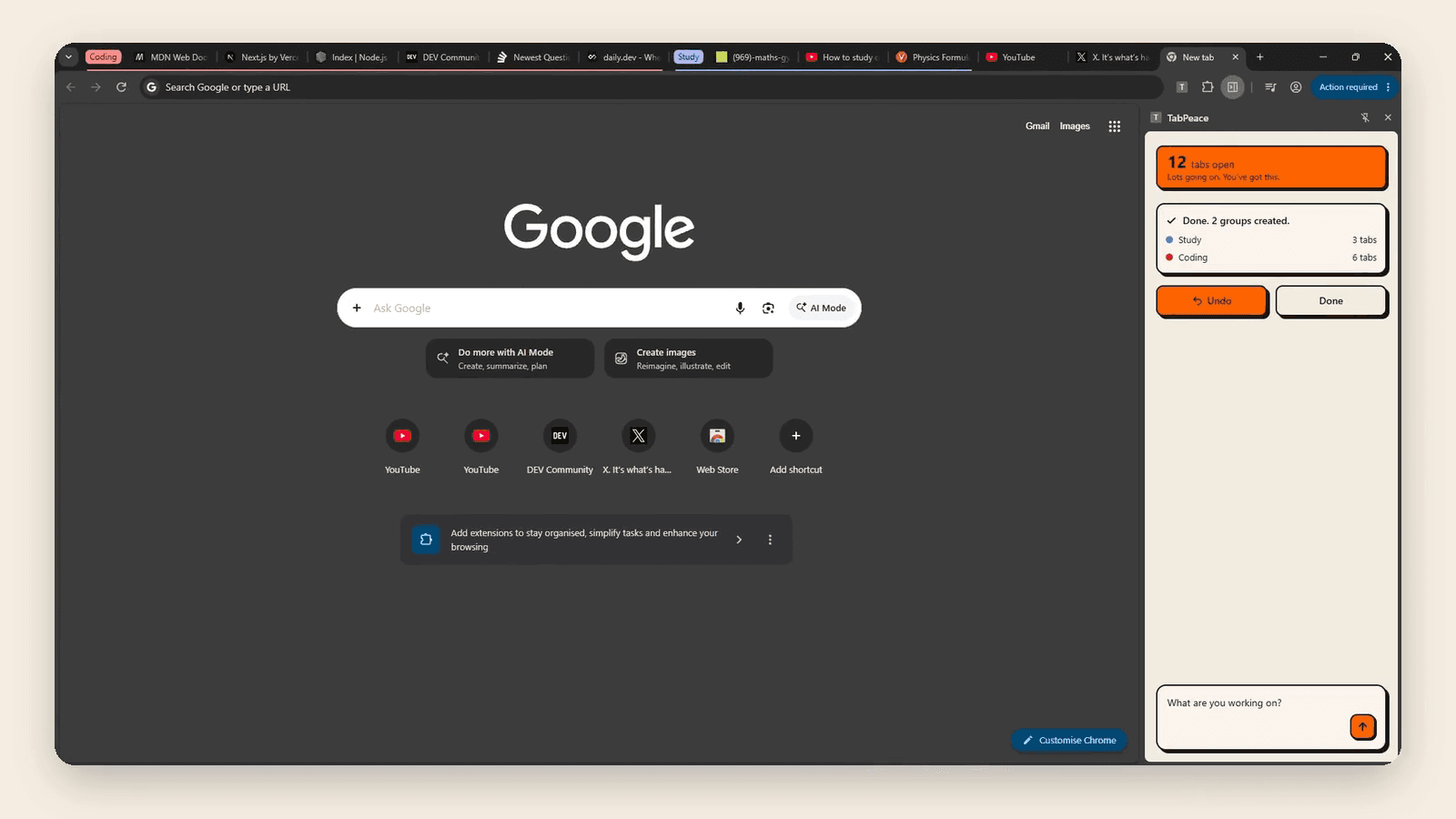
Name the groups you want. TabPeace shows what goes where, and which tabs it leaves alone, before anything moves.
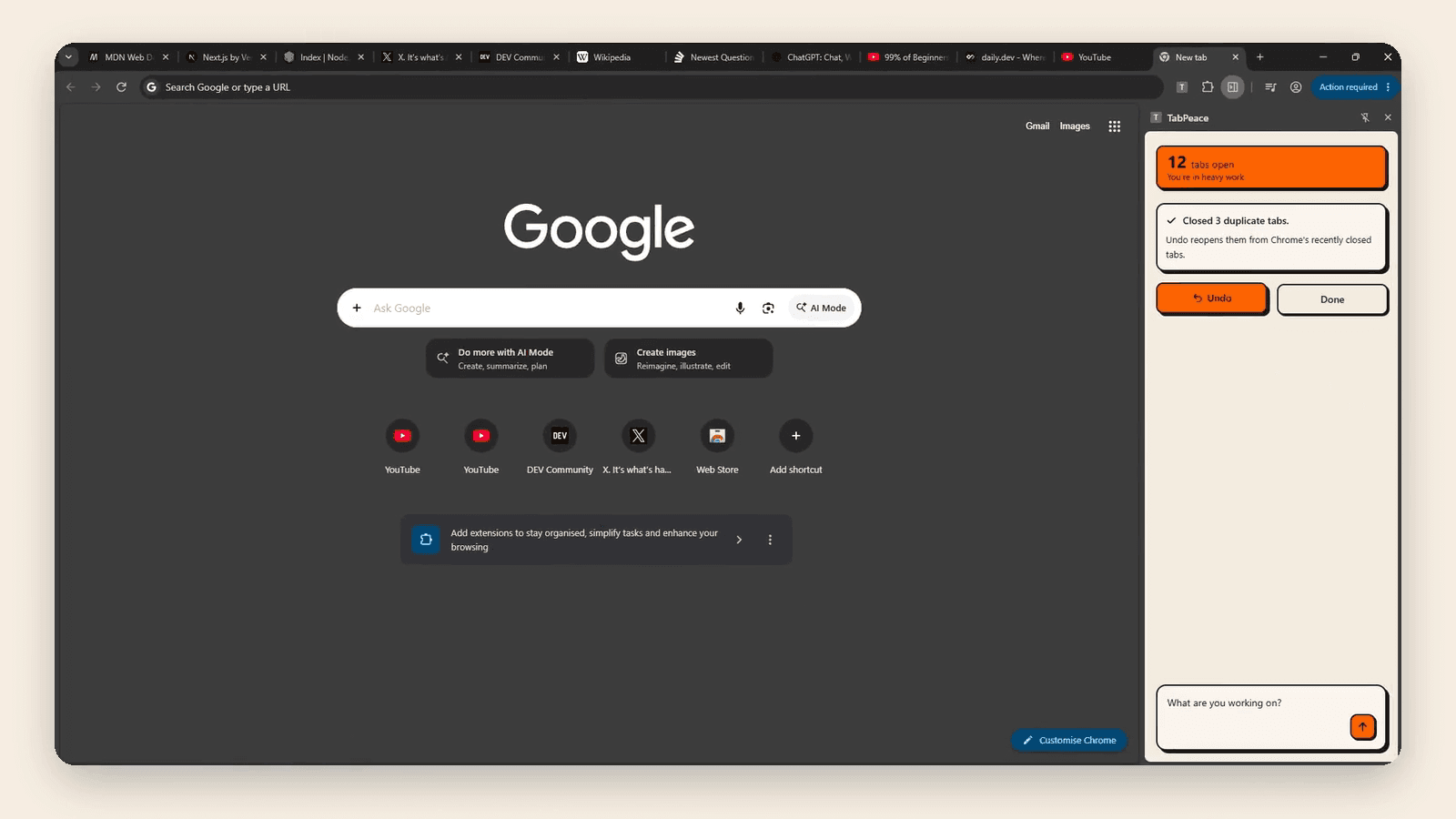
Ask it to find repeats. TabPeace keeps the copy you used most recently and shows what it will close. Nothing closes until you approve, and Undo brings them back.
FAQ
You type what you're working on, in plain words. TabPeace proposes Chrome tab groups for your open tabs, and you approve or dismiss them.
No. It shows you what it plans to do first, and nothing moves until you approve. You can undo it afterwards.
Soon, on the Chrome Web Store. The “Add to Chrome” button at the top unlocks the day it goes live.